I2of5 (Interleaved 2 of 5) Barcode
This is a barcode optimized for numbers, especially even number of digits. The numbers are encoded in a high density manner into the barcode. If the number of digits is an odd number, a zero will be prepended.
Generating this barcode using the Barcode Generator
The easiest way to create this barcode is to use the Barcode Generator included in the installation package. Simply goto the Start Menu and launch Aeromium Barcode Fonts > Barcode Generator. This software automates
and simplifies the creation of the barcodes for you. After the barcode is created, you can simply copy
and paste the barcode into your documents.
Generating this barcode using the Barcode Generator
Generating this barcode in Excel
I2of5 (Interleaved 2 of 5) Barcode Fonts
The following is the list of fonts with varying heights supported by Aeromium.FontCodeI2of5H1.ttf
FontCodeI2of5H2.ttf
FontCodeI2of5H3.ttf (Default Font)
FontCodeI2of5H4.ttf
FontCodeI2of5H5.ttf
FontCodeI2of5H6.ttf
Using this Barcode Manually
The following table lists the characters supported by the I2of5 barcode. Each barcode font character represents a 2-digit number.
|
Examples
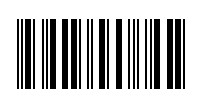
To encode the data "12345678" without the check digit manually, simply key in "{,BXn}" and select the FontCodeI2of5H3.ttf font. The output is as follows :
To encode the data "1234567" with the check digit manually, simply key in "{,BXf}" and select the FontCodeI2of5H3.ttf font. The output is as follows :
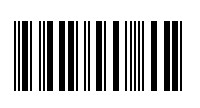
The "f" is the check digit. It represents the value 70 and its computation is illustrated in the section below.
How to compute the check digit
For example if the data "1234567" is to be encoded as a barcode. The check digit is computed as follows.
| Data | 1 | 2 | 3 | 4 | 5 | 6 | 7 | |
| Starting from the last digit, multiply by 3 followed by 1. | ||||||||
| *3 | *1 | *3 | *1 | *3 | *1 | *3 | ||
| Sum : | (1*3) + (2*1) + (3*3) + (4*1) + (5*3) + (6*1) + (7*3) = 60 | |||||||
| If the Sum Mod 10 is 0, the result is 0. Otherwise the result is 10 - (Sum Modulo 10) | ||||||||
| Modulo 10 : | (60 % 10) = 0 | |||||||
| Data to be encoded | 123457 (and 0 as the Check Digit) | |||||||
| Mapping | 12 = ',' , 34 = 'B' , 56 = 'X', 70 = 'f' | |||||||
The characters "{,BXf}" can then be keyed in to the text editor with the appropriate font selected to generate a I2of5 barcode with check digit.
Back to Barcode Fonts.